eSIM vs USIM vs Pocket Wi-Fi Korea 2026: The Ultimate Connectivity Guide
Compare eSIM, USIM, and Pocket Wi-Fi for 2026 travel. Learn why 90% choose eSIMs for $3/day and how to handle the new facial recognition laws.
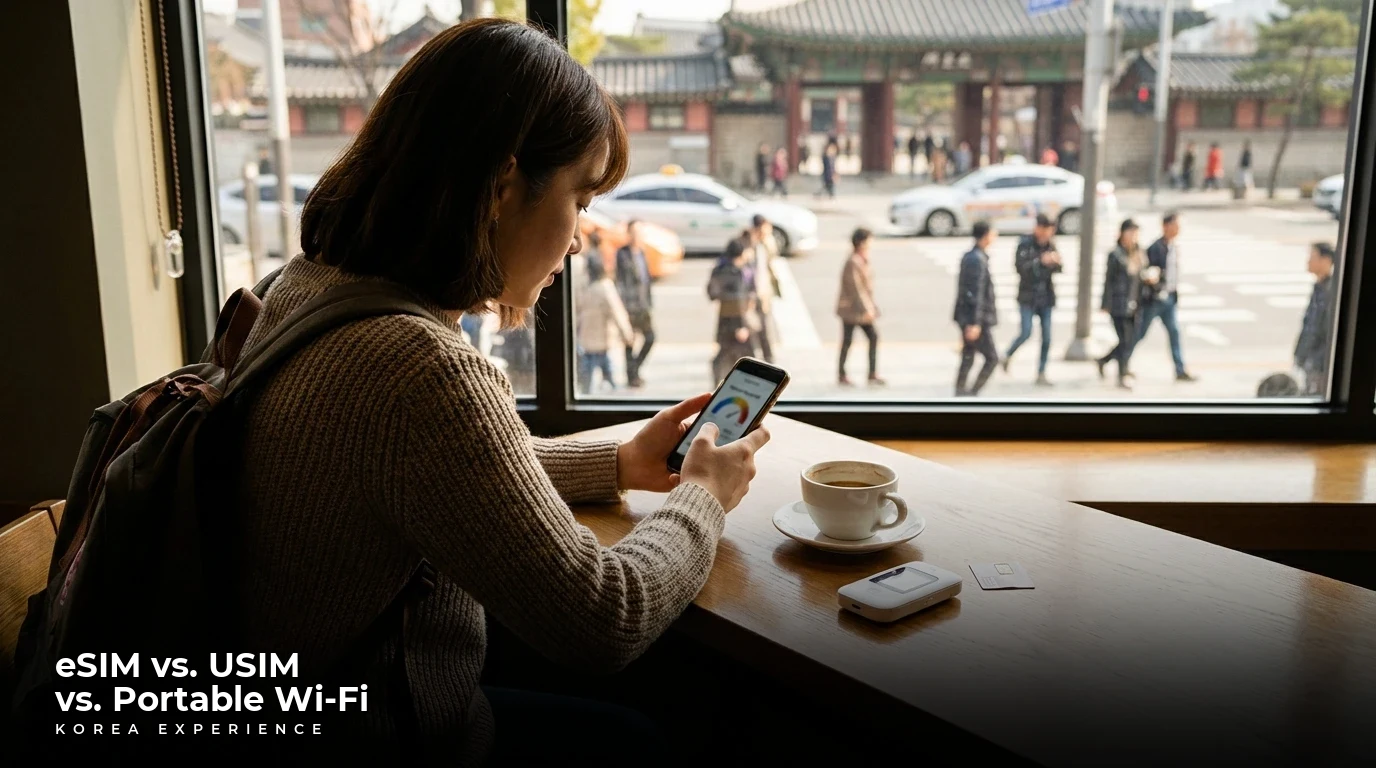
So you're heading to the most connected country on Earth, but you're worried about being the only one offline? You have likely memorized how to say "Annyeonghaseyo," but now you are staring at your phone wondering how you are going to post your K-BBQ photos to Instagram.
I’ve broken down exactly which internet option fits your travel style for 2026, including the new facial recognition laws and how to survive without a Korean ID. Whether you are a solo backpacker or a family of five, staying connected is the first step to survival.
Key Takeaways
- 1For 90% of solo travelers in 2026, eSIM is the undisputed champion. It is instant, cheaper than roaming, and now fully supported by Korea's Big 3 carriers (SKT, KT, LG U+).
- 2The most important stat is 40%—that is the potential No-Show penalty you can be charged at fine dining restaurants if you book via local apps without a verified number. Use CatchTable Global to bypass this.
- 3Actionable advice: Call your home carrier to unlock your phone before you pack. If your phone is locked, an eSIM or USIM is useless, and you will be stuck carrying a Wi-Fi Egg that needs charging every 6 hours.
📋 Quick Facts
The Background Story: From Eggs to eSIMs
Korea has always been a bit of a "future world" when it comes to the internet. Back in 2010, while the rest of the world was happy with 3G, Seoul was already blanketing its subways with lightning-fast Wi-Fi. For the longest time, the "Wi-Fi Egg" (a portable router) was the symbol of the Korean tourist. You would rent it upon arrival, carry it in your pocket, and pray the battery didn't die while you were navigating the maze of Gangnam Station.
But the game changed around 2022 when eSIM technology finally went mainstream in Korea. The "Big 3" carriers—SK Telecom (SKT), KT, and LG U+—realized that tourists didn't want to swap plastic chips anymore. They started offering competitive digital plans.
Fast forward to 2026, and things have gotten serious—literally. The Korean government, dealing with a rise in voice phishing scams, has implemented strict new regulations. Starting March 2026, activating a SIM card (even a tourist one) isn't just about showing a passport; it now requires facial recognition verification at the point of sale to match your ID. This sounds scary, but it's really just a 30-second scan. It does mean, however, that the days of buying a "burner SIM" from a shady stall are over. Everything is tracked, secure, and highly regulated.
LTE Rollout
Korea becomes the world leader in 4G availability; the Wi-Fi Egg becomes a tourist staple.
5G Launch
South Korea becomes the first country to launch commercial 5G networks nationwide.
eSIM Normalization
Major Korean carriers (SKT, KT, LG U+) begin aggressively marketing prepaid eSIMs to tourists.
CatchTable Global
The reservation app launches an English version allowing foreign cards/numbers, solving the booking crisis.
The No-ARC Shift
Delivery apps like Baemin begin opening slightly to foreign cards, though verification remains tricky.
Facial Recognition Law
March 2026: New regulation requires facial scanning verification for all new SIM activations to combat fraud.
Breaking Down Your Options
Let's get into the nitty-gritty, because your specific situation might rule out the "eSIM is King" advice.
1. The eSIM (The Solo Traveler's Dream)
If you have an iPhone XR or newer (or a Galaxy S20 or newer), this is your best bet. You buy a plan online from a site like Klook, Trazy, or Airalo before you fly. You scan a QR code, and boom—you have data.
- Best For: Digital nomads, solo travelers, and anyone who hates waiting in lines.
- The Catch: Most of these are "Data Only." You won't get a phone number to make voice calls (though WhatsApp/KakaoTalk calls work fine).
2. The Physical USIM (The Reliable Classic)
If your phone is older or you really, really need a local Korean phone number (010 prefix) to give to a friend or business contact, get the physical SIM.
- Best For: Long-term stays (exchange students) or people with older phones.
- The Catch: You have to physically go to the counter at the airport. And remember the new 2026 rule? You'll need to do the facial scan there.
3. The Pocket Wi-Fi / "Egg" (The Group Saver)
This is a small router that broadcasts a signal.
- Best For: Families. If you buy one Egg for $3/day, mom, dad, and two kids can all connect. That's way cheaper than 4 eSIMs. Also, if your phone is "locked" by your home carrier, this is your only option.
- The Catch: It’s another device to charge. If the battery dies, everyone loses internet. And you have to return it at the airport before you fly out, which adds stress to your departure.
| Feature | eSIM (Recommended) | Physical USIM | Portable Wi-Fi (Egg) |
|---|---|---|---|
| Cost | Lowest ($3 - $5 / day) | Mid-range ($5 - $7 / day) | Cost-effective for groups ($3 / day shared) |
| Processing Time | Instant (QR Code) | 10-20 mins (Airport Counter) | 10-15 mins (Pickup/Return) |
| Duration/Validity | Flexible (1 - 90 days) | Flexible (1 - 90 days) | Daily rental rates |
| Requirements | Unlocked phone + eSIM capability | Unlocked phone | Deposit (credit card hold) |
| Best For | Solo travelers, digital nomads | Long-term stays, older phones | Groups, families, locked phones |
| Voice/Text | Usually Data Only (Voice extra) | Often includes basic voice/SMS | No voice/SMS capability |
| 2026 Changes | Facial ID required for Voice plans | Facial ID required at counter | No biometric scan needed usually |
Pros and Cons of the eSIM
Pros
- ✓Freedom from The Swap: Nobody likes fumbling for a paperclip on an airplane tray table to pop out a tiny SIM card. With an eSIM, you keep your home number active (great for receiving bank OTPs) while using Korean data.
- ✓Instant Gratification: You can buy it while sitting in your living room. By the time the plane wheels touch the tarmac at Incheon, you just toggle it on, and boom—you are live.
- ✓Price Performance: Without the cost of the plastic chip and the store overhead, eSIM plans in Korea have become dirt cheap. You are often paying less for unlimited data than you would for a single fancy coffee in Gangnam.
Cons
- ✗The Verification Wall: Most tourist eSIMs are Data Only. Even if you buy one with a number, you cannot use it for Identity Verification (online banking, signing up for local websites) because you do not have a Resident Card (ARC).
- ✗Battery Drain: While better than searching for a signal constantly, running 5G data all day on your primary phone will zap your battery faster than usual. You will need a power bank.
- ✗Compatibility Roulette: If you have a phone older than an iPhone XR or a Galaxy S20, you might be out of luck. Also, if you forgot to unlock your phone with your carrier back home, the eSIM simply will not install.
Step-by-Step Guide to Getting Connected
Ready to get connected? Here is your battle plan for landing at Incheon International Airport.
📖 How to Go from Offline to Connected in 2026 Korea
Step 1: The Pre-Flight Check (Crucial!)
Before you even leave your house, call your home carrier. Ask them specifically: 'Is my device unlocked for international use?' If they say no, get them to unlock it.
Step 2: Purchase Your Plan
Buy your eSIM online via platforms like Klook, Trazy, or directly from carrier sites (SKT Roaming, KT Roaming). Do this about 1-2 days before you fly. You will receive a QR code via email.
Step 3: The Airport Hustle
If you chose a physical SIM or Wi-Fi Egg, head to the Roaming Center in the Arrivals Hall (1F) of Incheon Airport. Look for SKT, KT, or LG U+. In 2026, be prepared for a quick facial scan at the counter—it is the new law to prevent fraud.
Step 4: Activation and The Restart
For eSIM: Go to Settings > Cellular > Add eSIM > Scan QR. Label your new plan 'Korea.' Turn off Data Roaming for your home SIM and Turn on Data Roaming for the Korea eSIM.
Here is the biggest secret tourists miss: The 'Unlimted Data' isn't always truly unlimited. Read the fine print. Most plans give you 3GB of high-speed 5G per day, and then throttle you down to 5Mbps. honestly? 5Mbps is perfectly fine for YouTube and Maps. Don't pay double for 'Max Speed' unless you're uploading 4K video files for work.
The "No-ARC" Truth: Surviving Without Verification
One of the biggest shocks for travelers is the "Identity Verification" (Bon-in In-jeung) system. Just because you bought a SIM card with a Korean phone number (starting with 010) does NOT mean you can use it to order food on standard apps like Yogiyo or open a bank account. Without an Alien Registration Card (ARC) linked to that number, it is effectively a "burner" phone.
No Korean Phone/ARC? Here's What To Do
This is critical for tourists:
-
Transport: Use Uber (it calls local taxis) or Kakao T (select "Pay to Driver"). You don't need a verified number for these features. For more details on getting around, check our guide to hailing a Korean taxi.
-
Food: Download Shuttle Delivery. It is the only app fully designed for foreigners that accepts international credit cards and doesn't require ARC verification.
-
Reservations: Use CatchTable Global. Do NOT try to use the regular CatchTable or Naver Booking; you will hit a wall. The Global version accepts foreign emails and cards.
Recommended SIM/Rental Counters
If you decide to go the physical route, here are the best spots to hit.
SK Telecom Roaming Center (Incheon T1)
- Location: Incheon International Airport Terminal 1, 1F Arrivals Hall (Between Gate 9-10)
- Hours: 06:00-22:00 (24/7 desk at Gate 5)
- Highlights: Fastest 5G network, English support, Instant activation.
- Insider Tip: Skip the main counter at Gate 9; the one at Gate 5 is open 24 hours and usually has a shorter line.
Woori Mobile (Sinchon Branch)
- Location: 36 Myeongmul-gil, Seodaemun-gu, Seoul (Near Sinchon Station)
- Hours: 10:00-20:00 (Mon-Sun)
- Highlights: Multilingual staff (English/Russian/Thai), No-contract plans, Student discounts.
- Insider Tip: This is the best place if you are staying longer than 30 days and want a cheaper MVNO plan rather than a tourist plan.
Chingu Mobile (Reseller/Pickup)
- Location: Pickups usually at Airport / Head Office in Gwangjin-gu
- Highlights: Extremely cheap long-term plans, KakaoTalk support, Easy extension.
- Insider Tip: Order online for airport pickup; visiting their office is a bit of a trek for a normal tourist.
Tourist Data Plans 2026 Estimate
| Option | Price | Category | Description |
|---|---|---|---|
| SKT Unlimited (5 Days) | ₩27,500 ($20) | Premium | The "Gold Standard" - fastest speeds, widest coverage, reliable. |
| KT Prepaid (5 Days) | ₩24,700 ($18) | Mid | Great balance, includes access to KT's massive public Wi-Fi network. |
| LG U+ (5 Days) | ₩25,000 ($18) | Budget | Often has "Buy 1 Get 1" promos or free T-Money cards included. |
| MVNO eSIM (10GB) | ₩18,000 ($13) | Budget | Third-party (Roami/Airalo) using local towers. Cheapest data-only option. |
FAQ
❓ Frequently Asked Questions
Have more questions?Contact us →
Conclusion: Your Action Plan
Okay, let's wrap this up. You are going to Korea in 2026.
- Check if your phone is unlocked.
- Buy an unlimited data eSIM online 2 days before your trip (SKT or KT are my top picks for reliability).
- Download Naver Map, KakaoTalk, and Shuttle before you leave home.
- Don't panic about the facial recognition scan at the airport; it’s standard procedure now.
You’re ready. The internet in Korea is blazing fast, so get ready to livestream your hanbok experience in 4K without a single buffer. If you run into payment issues while booking your experiences, check out our guide on Namane vs. Wowpass to see which travel card suits you best. Have an amazing trip!
Sources
- Ministry of Science and ICT (South Korea) - https://www.msit.go.kr/eng/index.do - New facial recognition regulations for SIM card activation in 2026.
- Visit Korea (Official Tourism Org) - https://english.visitkorea.or.kr - Tourist SIM card information, Shuttle Delivery partnerships, and "Smart Tourism" guides.
- Nomad eSIM Blog - https://www.nomadesim.com/blog/skt-kt-lg-south-korea-esim - Detailed comparison of SKT vs KT vs LG U+ speeds and coverage for 2025/2026.
- Korea Immigration Service - https://www.immigration.go.kr/immigration_eng/index.do - Updates on identity verification policies for foreigners.
- Woori Mobile - https://www.woorimobile.kr - Pricing and requirements for long-term and short-term prepaid SIM options.
About the Author
Korea Experience Team
Written by the Korea Experience editorial team - experts in Korean medical tourism, travel, and culture with years of research and firsthand experience.
Explore more in Living in Korea
Everything expats and long-term visitors need to know — from visa requirements and housing to banking, healthcare, and daily life tips.
Browse All Living in Korea ArticlesContinue Reading
Explore more articles you might find interesting
Discover the best 2026 Daiso Korea finds under 5,000 KRW. From viral VT Reedle Shots to travel adapters, here is your ultimate shopping guide.
Wash and dry a full load for 10,000 KRW in under 75 minutes. A 2026 guide to using Korean coin laundromats, shoe washers, and cashless kiosks.
Stop panic with the 2026 Emergency Ready App guide. Join 1.7 million residents getting English alerts, shelter maps, and vital safety updates instantly.
Save money in Seoul with the 2026 Climate Card. We analyze if the 62,000 KRW monthly pass beats T-Money for your 30-day stay based on 40 rides.
Hana Bank beats NH for nomads in 2026 with English apps and a $100,000 remittance limit. Discover why 16 Sunday branches make it the top choice.

So, you are in Seoul, your head is pounding from that 14-hour flight, or maybe you went a little too hard on the spicy tteokbokki—don't worry, I have got you.