NHIS Website Navigation Guide for Expats 2026
Master Korea's NHIS website in 2026. This guide simplifies registration, payments, and benefits for international residents, ensuring smooth healthcare access.
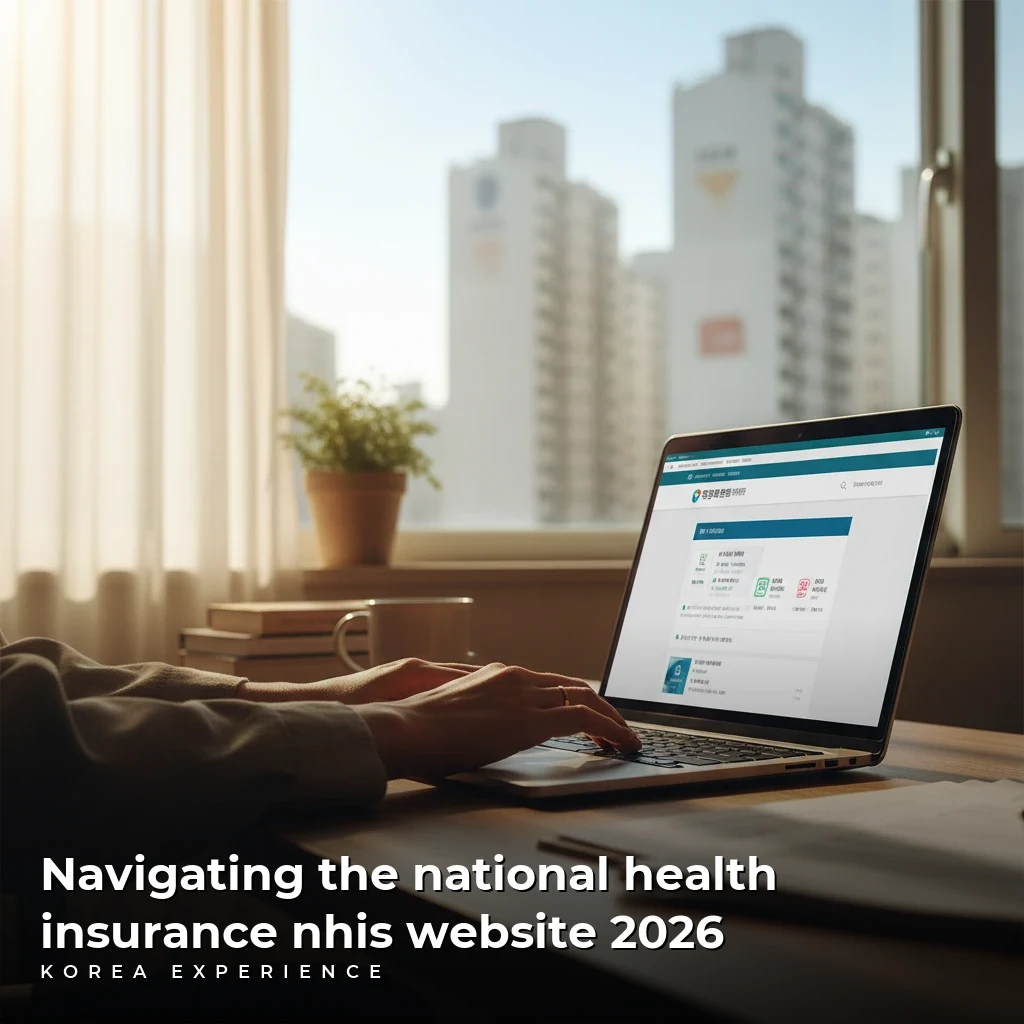
Navigating the National Health Insurance NHIS Website 2026
Welcome to South Korea, a country renowned for its vibrant culture, technological prowess, and perhaps most importantly for its residents, an exceptional healthcare system. For international travelers and expats settling in the Land of the Morning Calm, understanding and utilizing the National Health Insurance Service (NHIS) is not just beneficial, but often mandatory. The NHIS website serves as your primary digital gateway to managing your healthcare, from registration and payments to checking your benefits and finding medical facilities.
However, for many newcomers, the sheer volume of information and the nuances of a foreign administrative system can be daunting. You might wonder how to register, what documents you need, how to make payments, or even simply how to navigate the website effectively in English. This comprehensive guide aims to demystify the NHIS website in 2026, offering clear, step-by-step instructions, practical tips, and insider knowledge to ensure you can confidently manage your healthcare in Korea. By the end of this post, you will be well-equipped to master the NHIS online platform, ensuring peace of mind regarding your health and well-being during your stay.
Understanding Korea's National Health Insurance Service (NHIS)
The National Health Insurance Service (NHIS) is Korea's single-payer universal healthcare system. It provides comprehensive medical services to all residents, including foreign nationals who meet specific residency criteria. Participation in the NHIS is generally mandatory for most long-term foreign residents, ensuring that everyone contributes to and benefits from the system. This mandatory enrollment ensures equitable access to high-quality medical care across the nation.
Who Needs to Enroll in NHIS?
As of 2026, most foreign nationals residing in Korea for more than six months are required to enroll in the NHIS. This includes individuals on various long-term visas, such as D-2 (Student), D-4 (General Trainee), E-series (Employment Visas), F-series (Resident Visas), and H-2 (Working Holiday). Short-term visitors, tourists, and those on certain specific visas may be exempt or have different insurance requirements. It is always crucial to verify your specific visa category and residency status with the immigration authorities to confirm your enrollment obligations. Even if your initial stay is shorter, once you extend beyond six months, NHIS enrollment becomes a requirement.
Benefits of NHIS Membership
Becoming an NHIS member unlocks a wide array of healthcare benefits. These include:
- Reduced Medical Costs: Significantly lower out-of-pocket expenses for doctor visits, hospitalizations, surgeries, prescriptions, and various medical tests. The NHIS typically covers a substantial portion of the cost, leaving you responsible for only a co-payment.
- Access to Quality Care: Full access to Korea's advanced medical infrastructure, including state-of-the-art hospitals, specialized clinics, and a vast network of healthcare providers.
- Preventative Care: Coverage for regular health check-ups and screenings, promoting proactive health management.
- Emergency Services: Coverage for emergency medical treatment and ambulance services, providing a critical safety net.
- Portability: Your NHIS coverage is valid nationwide, allowing you to seek medical attention wherever you are in Korea.
Understanding these fundamental aspects of the NHIS system is the first step towards effectively using its online portal.
Your First Steps: NHIS Registration for Foreigners
While much of your ongoing NHIS management can be done online, initial registration often requires an in-person visit, especially for new enrollees. However, the NHIS website plays a crucial role in providing necessary information and forms for this initial process.
Required Documents for Registration
Before visiting an NHIS branch office, prepare the following documents:
- Alien Registration Card (ARC) or Residence Card: This is your primary identification document as a foreign resident. Ensure it is valid and up-to-date.
- Passport: For identity verification.
- Proof of Residency: This could be a lease agreement, a certificate of residency from your employer, or a utility bill under your name.
- Proof of Income/Employment (if applicable): For those employed, a certificate of employment or salary statement helps determine your contribution amount. Students might need a certificate of enrollment.
- Family Relation Certificate (if registering dependents): For spouses or children residing with you, this document (e.g., marriage certificate, birth certificate) is necessary to register them under your coverage. Ensure these are translated into English and notarized if not originally in English.
Locating an NHIS Branch and Preparing for Your Visit
The NHIS website offers a "Find Your Branch" service. Navigate to the English version of the website (usually accessible via a language toggle button at the top right). Look for "Customer Service" or "Information" sections, then "Branch Information" or "Office Locator." You can search by address or district.
Practical Tip: Call the branch office beforehand (the universal NHIS English helpline is 1577-1000) to confirm their operating hours and any specific documents they might require for your situation. Some larger branches have dedicated English-speaking staff or at least staff familiar with foreign resident registration. Go early in the morning to avoid long queues, especially if you anticipate needing translation assistance.
While you cannot fully register online initially, the website is invaluable for downloading application forms (look for "Forms" or "Download Center") and familiarizing yourself with the process. Filling out forms in advance can significantly speed up your in-person visit.
Mastering the NHIS Website User Interface (2026 Update)
The NHIS website has continually evolved to become more user-friendly, especially for its international audience. The 2026 version is designed with clearer navigation, improved English translations, and enhanced mobile responsiveness.
Accessing the English Website
To begin, navigate to the official NHIS website. You will typically find a "Language" selection button, often depicted as a globe icon or text like "English," "Eng," or "A." Click this to switch to the English version. While the English site is comprehensive, some deeper links or specific forms might occasionally revert to Korean. In such cases, utilize a browser's built-in translation feature or contact the NHIS helpline.
Key Sections and Features for Expats
Once on the English site, you'll find several critical menus:
- My Page: This is your personalized portal. After logging in (which usually requires a certified digital certificate – see below), you can view your personal information, check your insurance qualifications, contribution status, payment history, and medical usage details.
- Information/About NHIS: Provides general information about the NHIS system, eligibility, benefits, and various policy details. It is an excellent resource for understanding the system's framework.
- Services for Foreigners: This dedicated section is a treasure trove of information specifically curated for international residents. It covers registration guides, payment methods, frequently asked questions, and special announcements relevant to foreigners.
- Online Civil Service/E-Applications: Here you can submit certain requests, apply for various certificates, or update information online. Examples include applying for a certificate of insurance qualification or changing your contact details.
- Find Medical Institutions: This powerful tool allows you to search for hospitals, clinics, and pharmacies nationwide. You can filter by specialty, location, and even whether they have English-speaking staff.
Navigating with a Certified Digital Certificate (공인인증서)
For full access to "My Page" and other personalized services, you will need a certified digital certificate (공인인증서 - Gongin Injeungseo). While the Korean government is gradually moving towards alternative authentication methods, the digital certificate remains a widely used and secure way to verify your identity online for various government and banking services.
- Obtaining a Certificate: You typically obtain this from your bank (online banking interface) after an initial in-person visit to set up your online banking.
- Installation: Once issued, you will need to install specific security programs (often browser plug-ins) on your computer, which the NHIS website will prompt you to do. This can be the trickiest part for new users, so be patient and follow the on-screen instructions carefully. Some banks offer English guides for this process.
Practical Tip: Keep your certified digital certificate backed up on a USB drive or cloud storage. It expires annually, so remember to renew it. Without it, your access to personalized NHIS services online will be severely limited.
Managing Your NHIS Contributions and Payments Online
One of the most frequent uses of the NHIS website for expats is managing contributions and making payments. Staying up-to-date with your payments is crucial to maintain your insurance qualification and avoid penalties.
Checking Your Contribution Status
On "My Page," you can view your current contribution status, including the amount due, due date, and any outstanding payments. The website also provides a detailed breakdown of how your contributions are calculated, often based on your income and assets. If you are employed, your employer typically deducts contributions directly from your salary. If you are self-employed, a student, or a dependent, you will receive monthly bills.
Understanding Your NHIS Bill
NHIS bills are usually issued around the 10th of each month, with a due date around the 25th. The bill will specify your monthly premium, any arrears, and the total amount due. It will also include a virtual account number (가상계좌) for easy bank transfers.
Table 1: Understanding Your NHIS Bill Components
| Component | Description | Action Required |
|---|---|---|
| Monthly Premium | Your standard insurance contribution for the current month. Calculated based on income, assets, or flat rate. | Must be paid to maintain coverage. |
| Arrears | Any unpaid contributions from previous months. Accrues penalties if not settled promptly. | Pay immediately to avoid suspension of benefits and further penalties. |
| Virtual Account No. | A unique, temporary bank account number for one-time payments. | Use for bank transfers (internet banking, ATM) for the specified bill. |
| Due Date | The last day to make a payment without incurring penalties or potential suspension of benefits. | Ensure payment is completed by this date. |
Online Payment Methods
The NHIS website supports several online payment options:
- Bank Transfer (Virtual Account): The most common method. You will find a unique virtual account number on your online bill or paper statement. Use your Korean bank's online banking portal or a local ATM to transfer the exact amount to this virtual account.
- Credit Card: The NHIS website allows payment via Korean credit cards. Navigate to the "Payment" section, select "Credit Card," and follow the prompts. Be aware that some international credit cards might not be accepted, or an additional processing fee may apply.
- Auto-Debit (Direct Debit): Highly recommended for convenience. You can register your Korean bank account or credit card for automatic monthly deductions. This can typically be set up on the NHIS website's "My Page" or by submitting a form at a branch office or your bank. This option prevents missed payments and associated penalties.
Table 2: NHIS Online Payment Methods Compared
| Payment Method | Convenience | Required Setup | Pros | Cons |
|---|---|---|---|---|
| Virtual Account | Medium | Korean bank account | Widely accepted, no extra fees. | Manual action required each month, easy to forget. |
| Credit Card | High | Korean credit card | Quick, immediate confirmation. | Limited to Korean cards, potential processing fees for some cards. |
| Auto-Debit (Bank) | Very High | Korean bank account, online reg | No missed payments, completely automated. | Requires initial online/offline setup. |
| Auto-Debit (Credit) | Very High | Korean credit card, online reg | Earns credit card points (if applicable), completely automated. | Requires initial online/offline setup. |
Insider Knowledge: If you miss a payment, the NHIS will send reminder notices. Continued non-payment can lead to suspension of your insurance benefits, meaning you will have to pay 100% of medical costs until arrears are settled, plus penalty fees. In extreme cases, immigration authorities may even be notified. Always prioritize NHIS payments.
Accessing Your Healthcare Benefits and Services
Beyond payments, the NHIS website is a powerful tool for understanding and utilizing your healthcare benefits.
Finding Hospitals and Clinics
The "Find Medical Institutions" (or similar) section is incredibly useful. You can:
- Search by Location: Enter your current address or a specific district to find nearby facilities.
- Filter by Specialty: Looking for a dermatologist, dentist, or pediatrician? Select the appropriate specialty.
- Check for English Services: Many larger hospitals and clinics are listed with indications of whether they provide services in English. Look for flags or text indicating "English consultation available."
- View Facility Details: Get contact numbers, addresses, operating hours, and sometimes even a map link for the chosen institution.
Practical Tip: For non-emergency situations, it's often more efficient to visit a smaller clinic (의원 or 병원) for common ailments rather than a large hospital (종합병원 or 대학병원). Clinics generally have shorter wait times and lower co-payments. Use the NHIS search tool to find one near you.
Understanding Co-Payments and Coverage
The NHIS website provides general information on co-payment rates for different types of services. Typically, you pay a percentage of the total medical cost, with the NHIS covering the rest.
- Outpatient Visits: Usually around 30-60% co-payment, depending on the type of clinic/hospital.
- Inpatient Stays: Generally lower co-payments, around 20%, plus room and board.
- Prescription Medications: A standard co-payment (often a flat fee) for medications prescribed by a doctor.
You can also view your medical treatment history and claim details on "My Page" to see what services were covered and your out-of-pocket expenses. This helps in tracking your healthcare usage.
Applying for Reimbursements and Certificates
In certain situations, you might pay for a medical service entirely out-of-pocket and then seek reimbursement from the NHIS. While less common for routine care, this can happen for specific prescribed items or services. The "Online Civil Service" or "E-Applications" section of the website will have forms and instructions for such reimbursements. You might also need a "Certificate of Insurance Qualification" (건강보험 자격득실 확인서) for various administrative purposes, such as visa renewals or employment. This can usually be downloaded directly from your "My Page."
Table 3: Key NHIS Services Accessible Online
| Service Category | Online Access Level | Description | Location on Website (approx.) |
|---|---|---|---|
| Insurance Qualification | Full | View current status, download certificate. | My Page > Qualification Information |
| Contribution Payment | Full | Check balance, make payments via virtual account/credit card, set up auto-debit. | My Page > Contributions/Payments |
| Medical History | Full | Review past doctor visits, diagnoses, prescriptions, and paid amounts. | My Page > Medical Usage Details |
| Branch/Hospital Locator | Full | Search for NHIS offices, hospitals, clinics, and pharmacies nationwide, filter by specialty/language. | Information > Find Medical Institutions / Customer Service > Branch Info |
| Forms & Downloads | Full | Download application forms, information booklets, and guides. | Information > Download Center |
| Information Updates | Partial | Change contact details, address (may require supporting documents submitted online or in-person). | My Page > Personal Information Update / E-Applications |
| Reimbursement Claims | Partial | Access forms and guides; some claims may require in-person submission or mailing of physical documents. | E-Applications / Services for Foreigners > Reimbursement Guide |
Troubleshooting Common Issues and Seeking Support
Even with a user-friendly website, you might encounter issues or have specific questions. The NHIS provides multiple channels for support.
The NHIS English Helpline (1577-1000)
This is your most immediate and effective resource. The NHIS operates a dedicated English-speaking helpline for foreign residents.
- Operating Hours: Typically Monday to Friday, 9:00 AM to 6:00 PM Korean Standard Time.
- Services: You can inquire about your registration status, contribution amounts, payment issues, benefits, and general NHIS policies. The staff are generally knowledgeable and helpful.
- Preparation: Have your Alien Registration Card (ARC) number ready as they will need it to access your records.
Utilizing the NHIS Website's FAQ Section
The "Services for Foreigners" or "Information" sections often contain extensive FAQ pages. These are regularly updated and cover a wide range of common questions regarding eligibility, payments, benefits, and changes in policy. It's often quicker to check the FAQ first for immediate answers before calling the helpline.
Visiting a Local NHIS Branch Office
For complex issues, document submission, or if you prefer face-to-face interaction, visiting a local NHIS branch office is always an option.
- Assistance: While not all staff may speak fluent English, most branches have experience assisting foreign residents. You might encounter an interpreter service available or helpful staff who can use translation apps.
- Documents: Always bring your ARC, passport, and any relevant documents related to your inquiry.
- Complex Cases: Situations like changing your dependent status, resolving payment discrepancies, or appealing a decision are often best handled in person.
Technical Support for Website Issues
If you are struggling with the certified digital certificate installation, website errors, or browser compatibility issues, the NHIS helpline (1577-1000) can also guide you through basic troubleshooting steps. For more profound technical problems, they might refer you to specialized IT support or suggest using a different computer/browser.
Key NHIS Updates and Policy Changes for 2026
The NHIS system is dynamic, with continuous efforts to enhance services and adapt to the needs of its diverse population. While specific major policy shifts for 2026 cannot be predicted with absolute certainty, the general trend indicates an ongoing commitment to accessibility and streamlining for foreigners.
Anticipated Website Enhancements
Based on past trends, 2026 could see further refinements to the NHIS website, including:
- Improved Mobile App Integration: Enhanced functionality for the NHIS mobile application, allowing more services (like auto-debit setup and certificate downloads) to be handled seamlessly on smartphones.
- Simplified Digital Authentication: Continued efforts to integrate simpler, non-certificate based authentication methods, such as KakaoTalk or Naver authentication, to reduce reliance on the often cumbersome certified digital certificate.
- More Interactive Guides: The website might feature more interactive tutorials or video guides in English to walk users through complex processes like certified digital certificate installation or payment setup.
- Enhanced AI Chatbot Support: Introduction of more sophisticated AI-powered chatbots with improved natural language processing for English, providing instant answers to common queries.
Potential Policy Adjustments for Foreigners
While speculation, some areas that have seen ongoing discussion and potential refinement include:
- Dependent Eligibility: Clarifications or adjustments to the criteria for registering foreign dependents, potentially simplifying the process for certain visa holders.
- Contribution Calculation Transparency: Efforts to make the calculation of monthly contributions even more transparent and understandable for self-employed individuals and students, possibly with online estimators.
- Health Check-up Reminders: More proactive reminders for mandatory health check-ups, especially for specific visa categories, integrated into the "My Page" portal.
Staying informed about these potential updates is important. Regularly check the "Services for Foreigners" section on the NHIS website and subscribe to any newsletters the NHIS might offer. Korea Experience Team will also strive to keep you updated on any significant changes impacting expats.
Frequently Asked Questions (FAQ)
-
Is NHIS mandatory for all foreigners in Korea? Yes, generally, foreigners holding long-term visas (over six months) are mandatorily enrolled in the NHIS. There are very few exceptions, typically for those covered by a reciprocal agreement with their home country or specific short-term visa categories. Always check your individual visa conditions.
-
How do I make my monthly NHIS payments? You can pay through various methods: bank transfer using a virtual account number provided on your bill, credit card (Korean cards predominantly), or by setting up an auto-debit from your Korean bank account or credit card. Auto-debit is highly recommended for convenience.
-
What if I don't have a certified digital certificate? Can I still use the NHIS website? You can access general information, search for hospitals, and view FAQs without a digital certificate. However, to access personalized services like "My Page" (checking contributions, payment history, medical records, or downloading certificates), a certified digital certificate is usually required.
-
I have a medical emergency. What should I do, and will NHIS cover it? In a medical emergency, immediately go to the nearest hospital or call 119 for an ambulance. NHIS covers emergency services, but you will still be responsible for the co-payment. Ensure you present your Alien Registration Card or NHIS card if you have one.
-
My address changed. How do I update it with NHIS? You must update your address with the immigration office first (via Hi-Korea website or in-person). Once updated with immigration, the NHIS system often automatically reflects the change. However, it's a good practice to double-check on "My Page" or call the 1577-1000 helpline to ensure your records are accurate and that your monthly bill is sent to the correct address.
Conclusion
Navigating a new country's administrative systems, especially healthcare, can be challenging. However, with the right information and a bit of patience, the National Health Insurance Service (NHIS) website in Korea is an invaluable tool for every international resident. By understanding its structure, utilizing its English features, and familiarizing yourself with the key processes – from checking your contributions to finding medical facilities – you can seamlessly manage your healthcare needs.
Remember these actionable takeaways:
- Prioritize NHIS Enrollment: It is mandatory for most long-term residents and provides essential coverage.
- Master the English Website: Utilize the language toggle and explore dedicated "Services for Foreigners" sections.
- Obtain a Certified Digital Certificate: It unlocks full access to personalized online services.
- Set Up Auto-Debit: Ensure timely payments and avoid penalties.
- Use the NHIS Helpline (1577-1000): Your go-to resource for specific questions and assistance.
- Stay Informed: Regularly check the website for updates and policy changes.
Embrace the convenience and efficiency that Korea's NHIS system offers through its comprehensive online portal. By proactively engaging with the NHIS website, you empower yourself with control over your health and well-being, allowing you to fully enjoy your experience living in this remarkable country. For more insights on expat life, explore our guides on [Renting an Apartment in Korea], [Banking for Foreigners], and [Korea Visa Requirements].
About the Author
Korea Experience Team
Written by the Korea Experience editorial team - experts in Korean medical tourism, travel, and culture with years of research and firsthand experience.
⚠️ Medical Disclaimer
The information provided on this website is for general informational purposes only and does not constitute medical advice. Always consult with qualified healthcare professionals before making any medical decisions.
Continue Reading
Explore more articles you might find interesting
Master Karrot Danggeun the essential second-hand app in Korea for expats and travelers in 2026. Unlock smart shopping and sustainable living experiences.
Navigate the essential process of opening a bank account in Korea with our comprehensive guide, ensuring financial stability and ease for expats and long-term visitors.
Unlock your dream of teaching English in Korea with our comprehensive E-2 Visa guide. Learn requirements, steps, and insider tips for a smooth process.